

Place here any module, widget, design or HTML. for example menu, categories
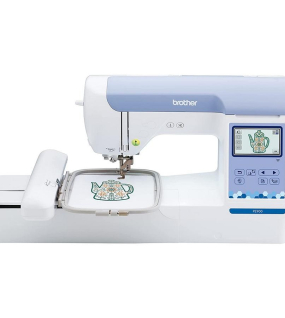
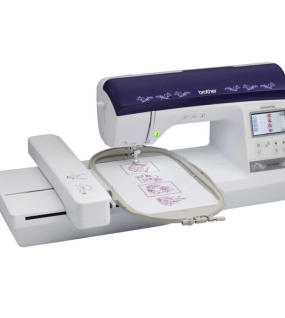
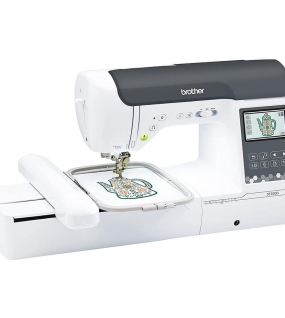
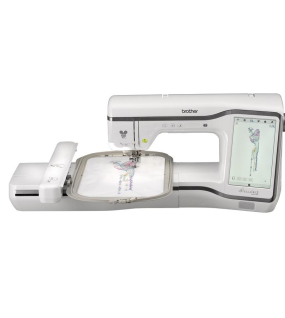
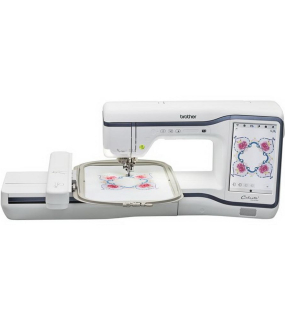
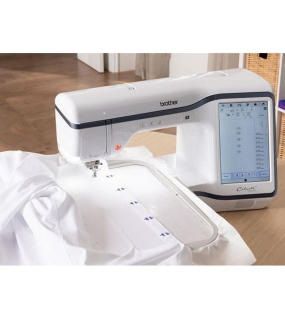
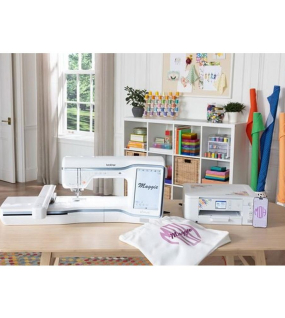
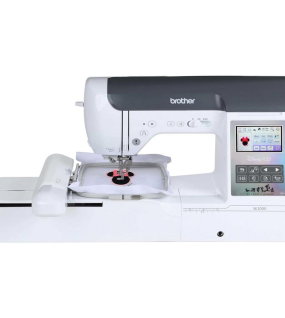
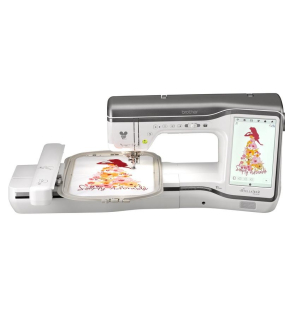
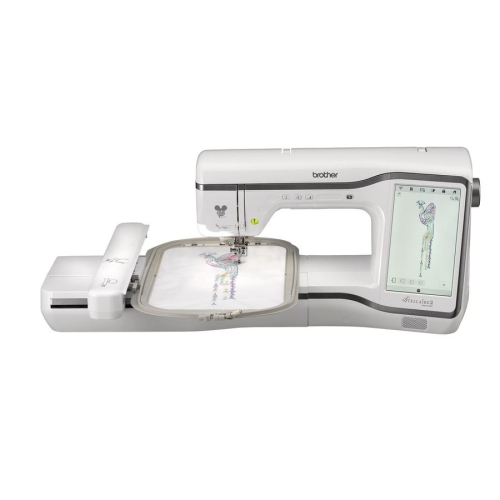
The modern Stellaire Innov-ís XE2 Embroidery Only Machine with Disney continues the Brother legacy of exceptional embroidery machines. With 788 embroidery designs, plus 101 Disney exclusive designs (for a total of 889), a large 9.5” x 14” embroidery area, and wireless integration with Artspira, the Brother Stellaire Innov-ís XE2 will elevate your embroidery skills.
The Stellaire 2 Innov-ís XE2 has a 2-Point Embroidery Positioning Function with a LED Pointer, which gives you precision accuracy positioning and will light up your fabric to see where the needle will drop for all your projects.
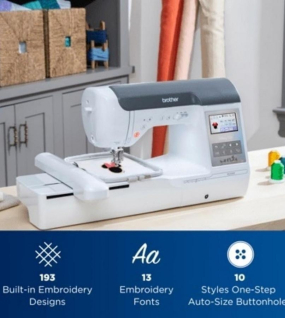
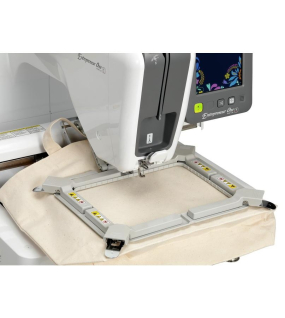
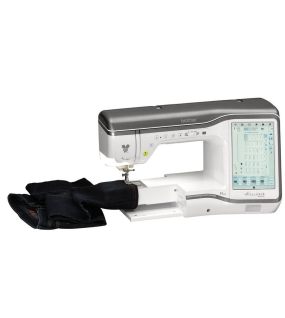
With 56 square inches of workspace and a spacious 11.25 inches from arm to needle, you’ll have no problem fitting even some of your largest projects.
With a host of 788 built-in embroidery designs, modern technology, plus the integration of Artspira, the Stellaire2 Innov-ís XE2 embroidery machine will be your go-to embroidery machine for all your projects.
The Stellaire2 has the magic of 101 Disney embroidery designs built right in, featuring Mickey Mouse, Minnie Mouse, Goofy and Pluto. Plus, your favorite characters from Frozen, Finding Nemo and Cars! Brother customers get exclusive access to even more Disney and Disney Pixar embroidery designs through the iBroidery.com Download Center.
The Stellaire2 XE2 has room to create with 56 square inches of workspace and has a healthy 11.25" from the needle to arm. The large embroidery area of 9.5" x 14" can handle just about anything your imagination throws at it.
The Presser Foot Auto Down feature will automatically lower the presser foot when the start button is pressed in embroidery. It eliminates the need to manually lower the presser foot before starting the embroidery and makes less work when creating a stitchout.
With My Design Snap Mobile App, you can turn just about anything into embroidery — in 3 easy steps: Snap a picture, Brother Stellaire Innov-ís XJ2 turns it into an embroidery file, and embroider away!
Creating a custom, personal work of art has never been easier. Use the My Design Snap mobile app to turn line art, handwriting, or an illustration into embroidery data. Simply snap a pic of the image using the My Design Snap app on your mobile device. The image is sent to your machine through your wireless network, and then converted into embroidery data. Combine the different decorative fills in your image to create beautiful, one-of-a-kind embroidery designs.
My Design Snap mobile app works with Snowman Embroidery Positioning Marker and your mobile device to place your design exactly where you want it every time. Just snap a picture of your project, preview it on your mobile device, and start embroidering with automatically positioned design.
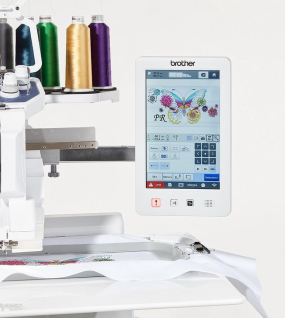
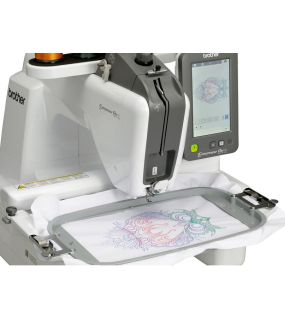
Hoop your fabric and use the My Design Snap app on your mobile device to snap a picture of the hooped area and send it to your machine wirelessly. Once the picture is on your Stellaire, select, position, colorize embroidery designs to come up with the perfect combination, or use the background image to trace out your own embroidery design. Fill in selected areas to enhance piece. Transform the ordinary into a stunning creation.
| LCD Display Size (Diagonal) Inches | 10.1" (5.3 x 8.5) |
| Display (Number of Colors) | Up to 16,777,216 |
| Weight | 33.73 lbs |
| Weight With Embroidery Unit Attached | 43.65 lbs. |
| Dimension | 24.09" L x 12.64" W x 13.70" H |
| Dimension with Embroidery Unit Attached | 36.06" L x 20.63" W x 13.70" H |
| Stitch Select | Clear Touch Panel |
| On-Screen Help | Yes |
| Built-in Languages | Yes |
| On-Screen Editing | Yes |
| Lighting | LED 10" Lighting |
| Thread Tension | Automatic |
| Needle Threading System | Automatic |
| Easy Bobbin Winding | Yes |
| Adjustable Bobbin Winding Speed | Yes |
| Thread Sensor | Upper and Bobbin |
| Automatic Thread Cutter | Yes |
| Quick-Set Bobbin | Yes |
| Full USB | 2 |
| Computer Connectivity with Update Capability | Yes |
| Mouse Capability by USB | Optional |
| Media Type | USB |
| Maximum Embroidery Area (X x Y) | 9.5" x 14" |
| Maximum Embroidery Speed (Stitches Per Minute) | 1,050 |
| Standard Included Frames | 2 (9." x 15" and 5" x 7") |
| Built-in Brother Embroidery Designs | 788 |
| Built-in Embroidery Designs Featuring Disney/Disney and Pixar Characters | 101 |
| Built-in Frame Designs | 10 Shapes x 14 Stitch Patterns |
| Built-in Embroidery Lettering Fonts | 26 |
| Thread Wiper | Yes |
| Resume Function | Yes |
| Trial Position/Layout Function | Yes |
| Built-in Border Function and Designs | Yes |
| Color Sort Feature | Yes |
| Appliqué Creator Function | Create Multiple Appliqué in One Hoop |
| Automatic Feed Thread Cutting | Yes |
| Curving Text on Screen Editing | Yes |
| On-Screen Letter Editing | Yes |
| Multiple Pattern Selection | Yes |
| Space Reduction Among Embroidery Alphabets | Yes |
| Pattern Rotating | 0.1, 1, 10, or 90 Degrees |
| Drag and Drop Editing | Yes |
| On-Screen Automatic Density Adjustment | Yes |
| My Design Center Feature | Yes |
| No-Fuss Stippling at Embroidery Edit | Yes |
| Basting Stitch Before Embroidery | Yes |
| Forward Backward Stitch | 1, 10, 100, 1000, Progress Bar |
| Droplight Embroidery Positioning Marker | Yes |
| My Design Snap Mobile Application | Yes |
| 2-Point Embroidery Positioning Function with LED Pointer | Yes |
Artspira Mobile App
Let your imagination guide you! With the Artspira app, you can draw your designs to upload to your machine or browse the app to find new projects and tutorials.
Cutting Edge Mobile Apps
The My Stitch Monitor app lets you know when to change your thread and even when your design is finished. With the My Design Snap app, you can capture pictures to convert into embroidery designs, and also use for precise design placement.
Built-in Disney Designs
With 101 built-in Disney embroidery designs, there will be no shortage of magic to go around.
2-Point Embroidery Positioning Function with LED Pointer
This built-in tool gives precise positioning to show where the needle will drop for all your projects.
My Design Center
Check out the 30 basic shapes, 30 closed shapes, 30 open shapes, and 17-line types that can be used by themselves or combined to create one-of-a-kind embroidery projects.
Plenty of Room to Create
With 56 square inches of workspace and a spacious 11.25 inches from arm to needle, you’ll have no problem fitting even some of your largest projects.
No Sew Sewing
Remove different design aspects before you begin so that you can see what you don’t want to stitch.
3-D Effect and Matrix Copy
Embroider letters with yarn for a unique 3-D effect using the Couching Embroidery Foot. With the Matrix Copy feature, you can add multiple copies of the same design to your project to create one-of-a-kind patterns.
Extensive Library of Designs
Access a range of built-in designs. With 9 large size and 3 light sketch flower patterns, as well as 10 quilt patterns, 26 patterns of Alphabet letters, 12 designs for buttonholes, and an In-the-Hoop pattern for a pin cushion disguised as a hedgehog, there is no telling what is possible.
Easy Echo and Deco-fill
With this stippling feature on the Embroidery Edit Tab, you can add decorative textures to virtually any project you can think of.
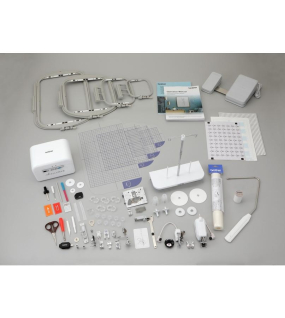
| Embroidery Foot “W+” with LED Pointer |
| Embroidery Couching Foot “Y” |
| Yarn Guide for Embroidery Couching |
| Yarn Threader |
| Embroidery Frame Set, ~5" x 7" |
| Embroidery Frame Set, ~9.5" x 14" |
| Embroidery Positioning Sticker Sheets (4) |
| Embroidery Needle Plate Cover |
| Stabilizer |
| Touch Pen (Stylus) |
| Accessory Case |
| Operation Manual |
| Quick Reference Guide |
| Additional Accessories Included in the Box |
| Artspira Magazine | Included |
| Monthly Projects | Included |
| Photo Frames (template) | 9 |
| Banners (template) | 16 |
| Quilt Wall Décor | 5 |
| Fabric Labels | 13 |
| Bag Projects | 6 |
| Printing Patterns | 37 |
| Design Editor | Move/Rotate |
| Design Editor | Change Size |
| Design Editor | Combining Multiple Designs |
| Design Editor | Change Color |
| Fonts | 10 |
| My Creations (Cloud Storage) | 20 Saves |
| AR Functionality | Included |
Create unlimited custom tabs and add any product detail, module, widget, design or HTML. Also possible to create custom tab layout using layout builder
The modern Stellaire Innov-ís XE2 Embroidery Only Machine with Disney continues the Brother legacy of exceptional embroidery machines. With 788 embroidery designs, plus 101 Disney exclusive designs (for a total of 889), a large 9.5” x 14” embroidery area, and wireless integration with Artspira, the Brother Stellaire Innov-ís XE2 will elevate your embroidery skills.
The Stellaire 2 Innov-ís XE2 has a 2-Point Embroidery Positioning Function with a LED Pointer, which gives you precision accuracy positioning and will light up your fabric to see where the needle will drop for all your projects.
With 56 square inches of workspace and a spacious 11.25 inches from arm to needle, you’ll have no problem fitting even some of your largest projects.
With a host of 788 built-in embroidery designs, modern technology, plus the integration of Artspira, the Stellaire2 Innov-ís XE2 embroidery machine will be your go-to embroidery machine for all your projects.
The Stellaire2 has the magic of 101 Disney embroidery designs built right in, featuring Mickey Mouse, Minnie Mouse, Goofy and Pluto. Plus, your favorite characters from Frozen, Finding Nemo and Cars! Brother customers get exclusive access to even more Disney and Disney Pixar embroidery designs through the iBroidery.com Download Center.
The Stellaire2 XE2 has room to create with 56 square inches of workspace and has a healthy 11.25" from the needle to arm. The large embroidery area of 9.5" x 14" can handle just about anything your imagination throws at it.
The Presser Foot Auto Down feature will automatically lower the presser foot when the start button is pressed in embroidery. It eliminates the need to manually lower the presser foot before starting the embroidery and makes less work when creating a stitchout.
With My Design Snap Mobile App, you can turn just about anything into embroidery — in 3 easy steps: Snap a picture, Brother Stellaire Innov-ís XJ2 turns it into an embroidery file, and embroider away!
Creating a custom, personal work of art has never been easier. Use the My Design Snap mobile app to turn line art, handwriting, or an illustration into embroidery data. Simply snap a pic of the image using the My Design Snap app on your mobile device. The image is sent to your machine through your wireless network, and then converted into embroidery data. Combine the different decorative fills in your image to create beautiful, one-of-a-kind embroidery designs.
My Design Snap mobile app works with Snowman Embroidery Positioning Marker and your mobile device to place your design exactly where you want it every time. Just snap a picture of your project, preview it on your mobile device, and start embroidering with automatically positioned design.
Hoop your fabric and use the My Design Snap app on your mobile device to snap a picture of the hooped area and send it to your machine wirelessly. Once the picture is on your Stellaire, select, position, colorize embroidery designs to come up with the perfect combination, or use the background image to trace out your own embroidery design. Fill in selected areas to enhance piece. Transform the ordinary into a stunning creation.
| LCD Display Size (Diagonal) Inches | 10.1" (5.3 x 8.5) |
| Display (Number of Colors) | Up to 16,777,216 |
| Weight | 33.73 lbs |
| Weight With Embroidery Unit Attached | 43.65 lbs. |
| Dimension | 24.09" L x 12.64" W x 13.70" H |
| Dimension with Embroidery Unit Attached | 36.06" L x 20.63" W x 13.70" H |
| Stitch Select | Clear Touch Panel |
| On-Screen Help | Yes |
| Built-in Languages | Yes |
| On-Screen Editing | Yes |
| Lighting | LED 10" Lighting |
| Thread Tension | Automatic |
| Needle Threading System | Automatic |
| Easy Bobbin Winding | Yes |
| Adjustable Bobbin Winding Speed | Yes |
| Thread Sensor | Upper and Bobbin |
| Automatic Thread Cutter | Yes |
| Quick-Set Bobbin | Yes |
| Full USB | 2 |
| Computer Connectivity with Update Capability | Yes |
| Mouse Capability by USB | Optional |
| Media Type | USB |
| Maximum Embroidery Area (X x Y) | 9.5" x 14" |
| Maximum Embroidery Speed (Stitches Per Minute) | 1,050 |
| Standard Included Frames | 2 (9." x 15" and 5" x 7") |
| Built-in Brother Embroidery Designs | 788 |
| Built-in Embroidery Designs Featuring Disney/Disney and Pixar Characters | 101 |
| Built-in Frame Designs | 10 Shapes x 14 Stitch Patterns |
| Built-in Embroidery Lettering Fonts | 26 |
| Thread Wiper | Yes |
| Resume Function | Yes |
| Trial Position/Layout Function | Yes |
| Built-in Border Function and Designs | Yes |
| Color Sort Feature | Yes |
| Appliqué Creator Function | Create Multiple Appliqué in One Hoop |
| Automatic Feed Thread Cutting | Yes |
| Curving Text on Screen Editing | Yes |
| On-Screen Letter Editing | Yes |
| Multiple Pattern Selection | Yes |
| Space Reduction Among Embroidery Alphabets | Yes |
| Pattern Rotating | 0.1, 1, 10, or 90 Degrees |
| Drag and Drop Editing | Yes |
| On-Screen Automatic Density Adjustment | Yes |
| My Design Center Feature | Yes |
| No-Fuss Stippling at Embroidery Edit | Yes |
| Basting Stitch Before Embroidery | Yes |
| Forward Backward Stitch | 1, 10, 100, 1000, Progress Bar |
| Droplight Embroidery Positioning Marker | Yes |
| My Design Snap Mobile Application | Yes |
| 2-Point Embroidery Positioning Function with LED Pointer | Yes |
Artspira Mobile App
Let your imagination guide you! With the Artspira app, you can draw your designs to upload to your machine or browse the app to find new projects and tutorials.
Cutting Edge Mobile Apps
The My Stitch Monitor app lets you know when to change your thread and even when your design is finished. With the My Design Snap app, you can capture pictures to convert into embroidery designs, and also use for precise design placement.
Built-in Disney Designs
With 101 built-in Disney embroidery designs, there will be no shortage of magic to go around.
2-Point Embroidery Positioning Function with LED Pointer
This built-in tool gives precise positioning to show where the needle will drop for all your projects.
My Design Center
Check out the 30 basic shapes, 30 closed shapes, 30 open shapes, and 17-line types that can be used by themselves or combined to create one-of-a-kind embroidery projects.
Plenty of Room to Create
With 56 square inches of workspace and a spacious 11.25 inches from arm to needle, you’ll have no problem fitting even some of your largest projects.
No Sew Sewing
Remove different design aspects before you begin so that you can see what you don’t want to stitch.
3-D Effect and Matrix Copy
Embroider letters with yarn for a unique 3-D effect using the Couching Embroidery Foot. With the Matrix Copy feature, you can add multiple copies of the same design to your project to create one-of-a-kind patterns.
Extensive Library of Designs
Access a range of built-in designs. With 9 large size and 3 light sketch flower patterns, as well as 10 quilt patterns, 26 patterns of Alphabet letters, 12 designs for buttonholes, and an In-the-Hoop pattern for a pin cushion disguised as a hedgehog, there is no telling what is possible.
Easy Echo and Deco-fill
With this stippling feature on the Embroidery Edit Tab, you can add decorative textures to virtually any project you can think of.
| Embroidery Foot “W+” with LED Pointer |
| Embroidery Couching Foot “Y” |
| Yarn Guide for Embroidery Couching |
| Yarn Threader |
| Embroidery Frame Set, ~5" x 7" |
| Embroidery Frame Set, ~9.5" x 14" |
| Embroidery Positioning Sticker Sheets (4) |
| Embroidery Needle Plate Cover |
| Stabilizer |
| Touch Pen (Stylus) |
| Accessory Case |
| Operation Manual |
| Quick Reference Guide |
| Additional Accessories Included in the Box |
| Artspira Magazine | Included |
| Monthly Projects | Included |
| Photo Frames (template) | 9 |
| Banners (template) | 16 |
| Quilt Wall Décor | 5 |
| Fabric Labels | 13 |
| Bag Projects | 6 |
| Printing Patterns | 37 |
| Design Editor | Move/Rotate |
| Design Editor | Change Size |
| Design Editor | Combining Multiple Designs |
| Design Editor | Change Color |
| Fonts | 10 |
| My Creations (Cloud Storage) | 20 Saves |
| AR Functionality | Included |
Tags:brotherstellaire xe2innov isembroidery machinecomputerized embroiderypremium machinecraft toolstextile machineembroidery toolsprofessional embroidery